Issue and Resolution Document for PO Returns and Cancellation Issue
1. Issue:
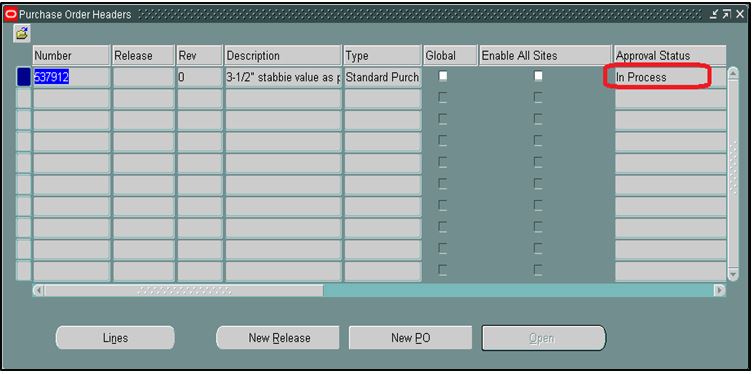
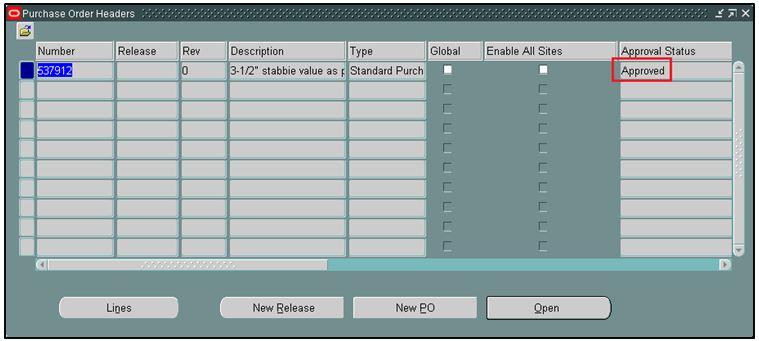
Buyers are created the Purchase Orders with wrong items and they have submitted for Approval process. Then the PO have been Approved and Fully Received. The fully received items are consumed by the warehouse.
Now, if they try to perform the Return or Cancel actions for those problematic PO Lines, system is not allowing to do that.
2. Root Cause:
- Those lines are fully received. So, system will not allow to Cancel the fully received lines.
- There were no On Hand Quantity in that sub-inventory and more over, many records got stuck in "Transaction Status Summary" form. So, system will not allow to do the Returns.
- One more thing, PO Order Quantity is less than the PO Due Quantity.
3. Errors:
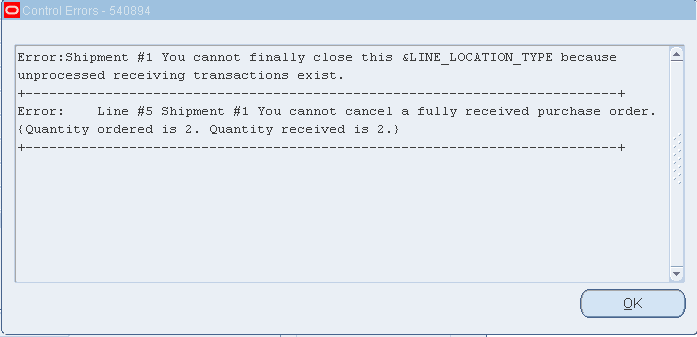
Error Message During Cancellation:
Error: Shipment #1 You cannot finally close this & LINE_LOCATION_TYPE because unprocessed receiving transactions exist.
|
Error: Line #5 Shipment #1 You cannot cancel a fully received purchase order. (Quantity ordered is 2. Quantity received is 2.)
|
Error Screenshot:
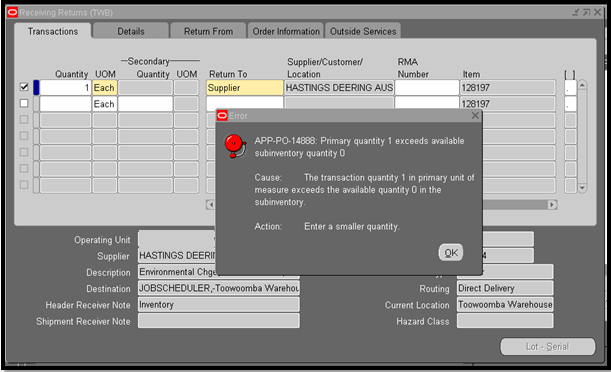
APP-PO-14888: Primary quantity 1 exceeds available subinventory quantity 0
|
Cause: The transaction quantity 1 in primary unit of measure exceeds t he available quantity 0 in the subinventory.
|
Action: Enter a smaller quantity.
|
Error Screenshot:
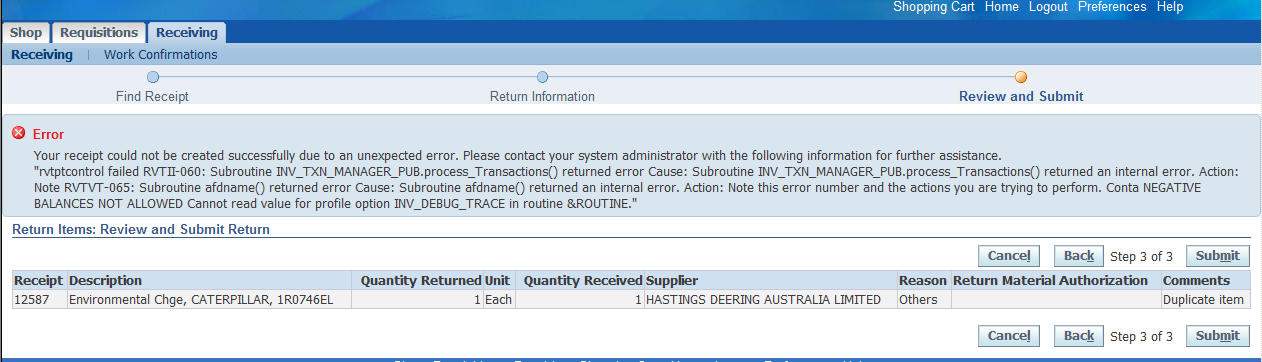
Error Message During Returns - iProcurement Form:
Your receipt could not be created successfully due to an unexpected error. Please contact your system administrator with the following information for further assistance.
|
"rvtptcontrol failed RVTII-060: Subroutine INV_TXN_MANAGER_PUB.process_Transactions() returned error Cause: Subroutine INV_TXN_MANAGER_PUB.process_Transactions() returned an internal error. Action: Note RVTVT-065: Subroutine afdname() returned error Cause: Subroutine afdname() returned an internal error. Action: Note this error number and the actions you are trying to perform. Conta NEGATIVE BALANCES NOT ALLOWED Cannot read value for profile option INV_DEBUG_TRACE in routine &ROUTINE."
|
Error Screenshot:
4. Transaction Status Summary:
Navigation: Receiving > Transaction Status Summary
Query the PO and the problematic lines

Many of the transactions got stuck in "Transaction Status Summary" form for this PO.
5. PO Shipments - Purchase Order Summary:
Query the PO Shipments in Purchase Order Summary form
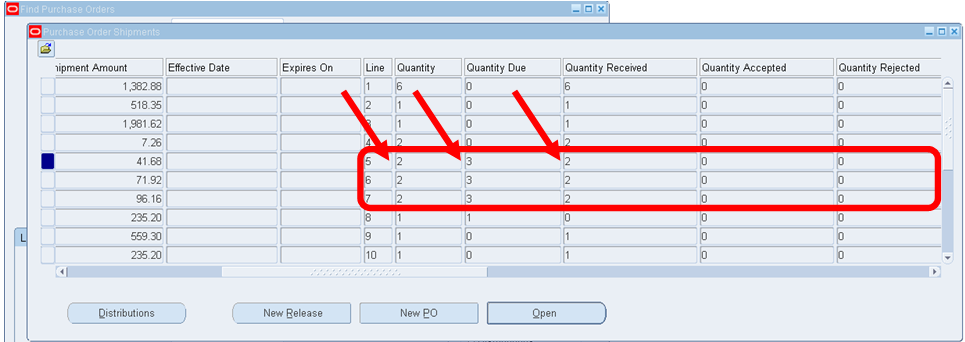
Ordered Quantity = 2 Quantity Due = 3 Quantity Received = 2
Ordered Quantity < Quantity Due
6. Solution:
Step 1: Delete all the stuck records in "Transaction Status Summary" form and Save.
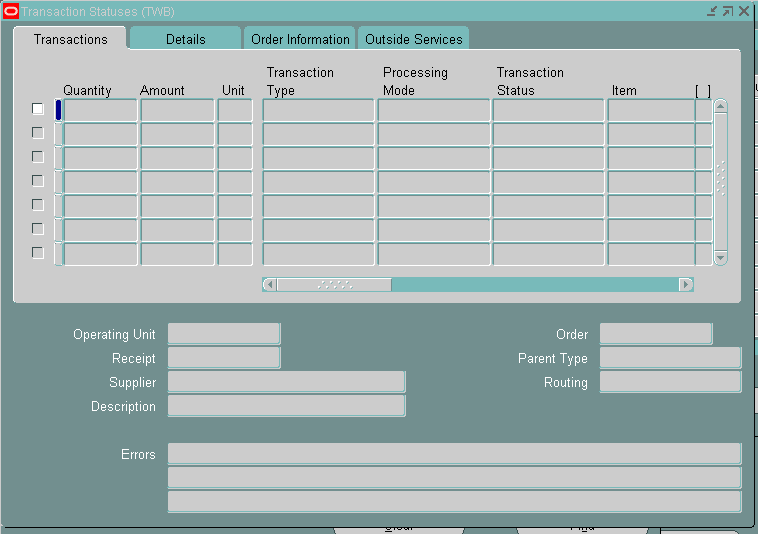
Step 2: Once you clear the records in "Transaction Status Summary" form, query the PO Shipments in Purchase Order Summary form for that PO and check the "Quantity" and "Quantity Due".

Now, the Quantity and Quantity Due becomes equal.
Step 3: Increase the On Hand Quantity for those problematic Items (Cycle Counting Process). Make sure the OHQ should be equals to quantity returns.
Step 4: Once you have the On Hand Quantity for those items, perform "Returns"
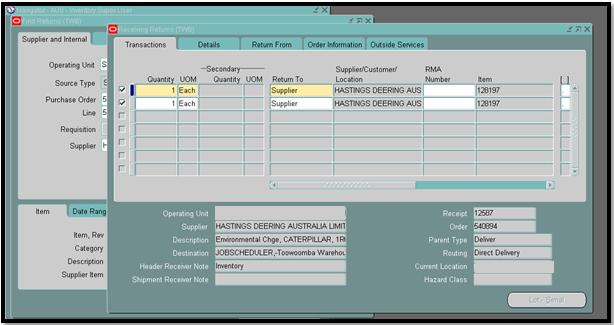
Now, system is allowing to do the "Returns" without any issues.
Step 5: After Returns, Cancel the PO Lines
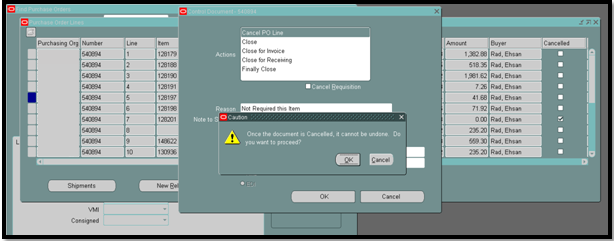
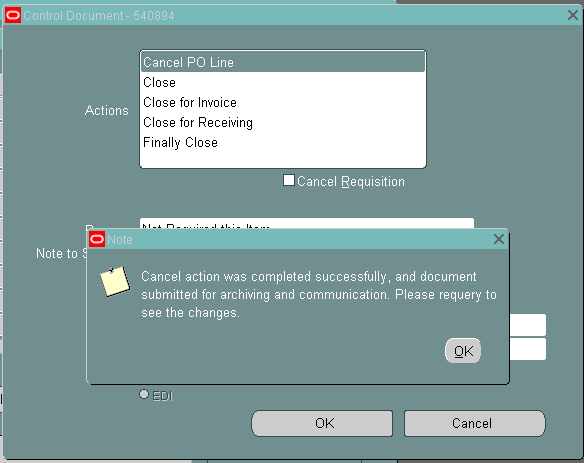
Now, system is allowing to Cancel the problematic PO Line without any issues.
Cancel the other problematic PO lines also.
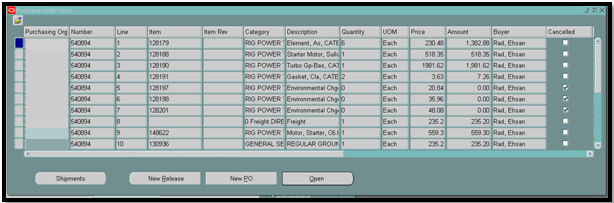
All three problematic PO lines have been successfully cancelled.